Page 2 of 2
Re: Any tips to fix RUT without computer?
Posted: Sat May 23, 2026 6:36 pm
by Oop North John
danham wrote: Sat May 23, 2026 1:12 pm
Oop NJ: Having the track visible has saved my bacon numerous times. The exception is a route that crosses itself and with no direction arrows that can confuse everyone (me and the zumo). Hope is important in these circumstances.

The most frustrating RUT for me was in a foreign town with a road closure that had no signs for where you should go as a diversion. The town had many one-way streets so a perfect storm of an XT that was very close to being thrown at the closed road. Granted having the track of where I should have been going would probably have helped, but one thing I always now do is have the heading showing in the Trip Data area, so that at least on any other detours I'll have a better idea of which way might be better to head.
Re: Any tips to fix RUT without computer?
Posted: Sun May 24, 2026 10:48 am
by jfheath
Fixing RUT using the XT1 screen only.
Load the imported route. eg MyRoute
Select Go and choose the first route point as the next destination.
Let it calculate the route if necessary and select Start
Return to the main screen with the route still running.
Apps->Trip Planner -> Saved Trips
At the top, select 'My Active Route'
Save it and give it a new name (eg *MyRoute) Just to indicate that it is a resaved route.
Load the newly saved *MyRoute Trip from Trip Planner (Note this appears under 'Saved Trips' rather than 'Imported Trips'
There is now a new route point added to the top of the list. This is the 'current' location at the time that you saved the trip.
The second point is the original start point.
Select Go!
Choose your preference - the third entry (ie the one after closest entry point) is your original start point.
I have a video of this somewhere. I'll be back.
Re: Any tips to fix RUT without computer?
Posted: Sun May 24, 2026 12:04 pm
by danham
John,
EDIT: Oops, might help to watch the video, Dan. Now I get it and it works perfectly. The key step I was missing (not enough coffee yet this morning) was to go one more step beyond returning to Trip Planner by tapping Saved Routes. Then My Active appears at the top.
Thanks for your help.
This is where I thought it went off the rails:
Return to the main screen with the route still running.
Apps->Trip Planner -> 3 Bar menu
At the top, select 'My Active Route'
When I return to Trip Planner, the 3-bar menu shows "Import" and nothing else. There is no "My Active Route" choice. (see above or watch the video)
XT1 version 6.70
-dan
Re: Any tips to fix RUT without computer?
Posted: Sun May 24, 2026 12:27 pm
by FrankB
You will need a GPS fix for this to work, or use the simulator. The Zumo needs to calculate from your location to the start.
Re: Any tips to fix RUT without computer?
Posted: Sun May 24, 2026 5:02 pm
by Mzokk
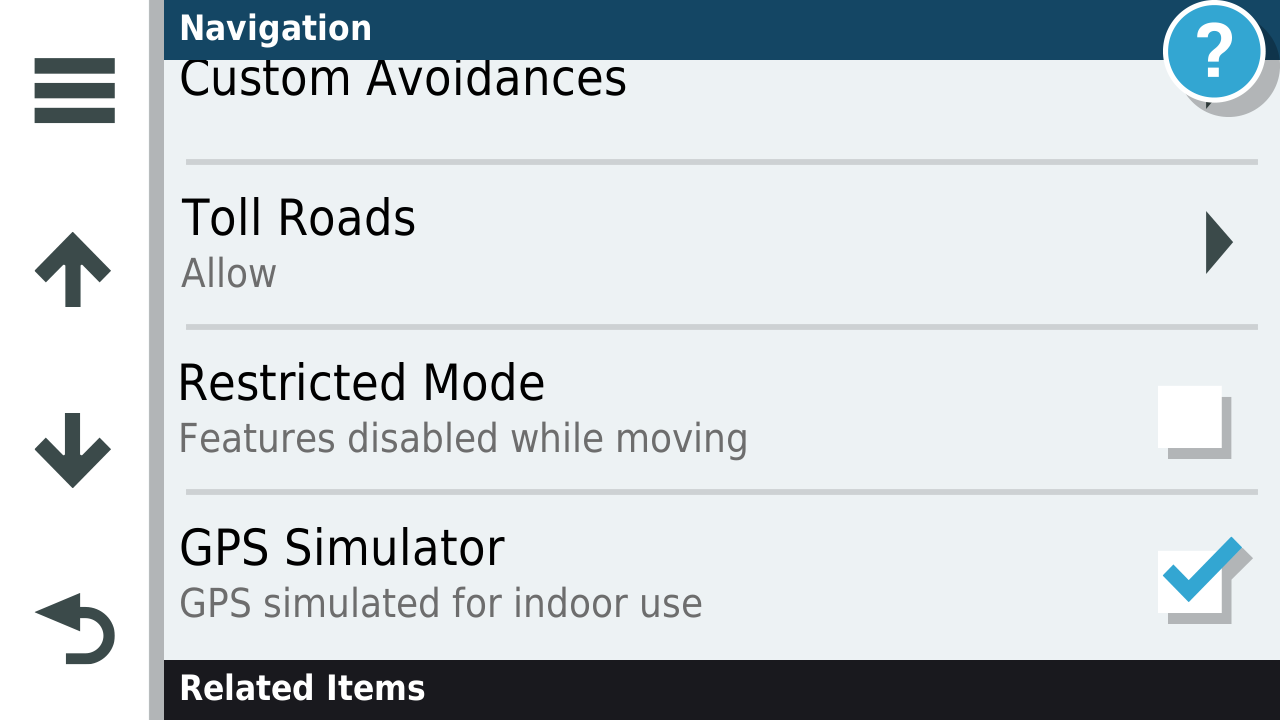
If you want to simulate these routes you have to switch the GPS signal off to your device and tell it where the start of your route is.
From the Zumo XT manual the procedure is as follows.
1.Select Settings > Navigation > GPS Simulator.
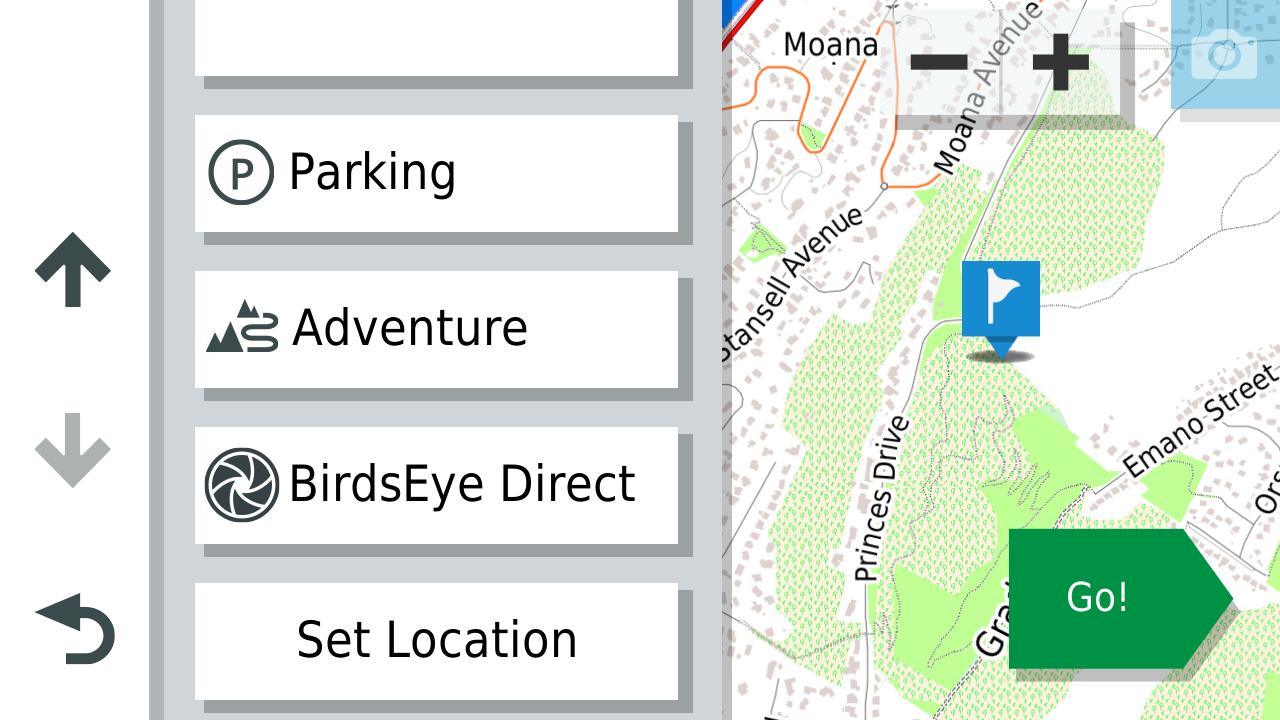
2.From the main menu, select View Map.
3.Tap the map twice to select an area.
4.The address of the location appears at the bottom of the screen.
5.Select the location description.
6.Select Set Location.
*Note make sure that the GPS off for indoor use is Ticked or the "Set Location" option does not appear.
You can the apply the RUT fix from where you are going to be rather than where you are.
- 1725272343032.png (96.73 KiB) Viewed 119 times
- 1725273658448.png (552.04 KiB) Viewed 119 times
This was one for sorting out routes in NZ
Re: Any tips to fix RUT without computer?
Posted: Mon May 25, 2026 3:47 am
by jfheath
There is no need to do the above if you are only a few miles from your start point - your current location is added to the start of the route. But you must make sure that you select your original start point as the next destination - rather than the new one - when you set off. If you don’t ride through the start point, the Zumo will forever try to get you to go back to it - and you cannot ride through a start point that is located in the bar !
But as @FrankB said - you need to have satellite reception or to simulate your position so that the Zumo can calculate the route to the start point.
Once you have done it a couple of times it is a quick and easy process.
Re: Any tips to fix RUT without computer?
Posted: Mon May 25, 2026 4:24 am
by jfheath
Thanks @danham for spotting that error. Corrected now.