Page 1 of 1
Rosetta and Intel-based apps
Posted: Sun May 24, 2026 5:27 pm
by OldRS
I saw this recently:
https://support.apple.com/en-gb/102527? ... r-52526201
which is about:
"Using Intel-based apps on a Mac with Apple silicon
Rosetta enables a Mac with Apple silicon to run Intel-based apps. Support for Rosetta will end in a future version of macOS, so check with the app’s developer for an updated version."
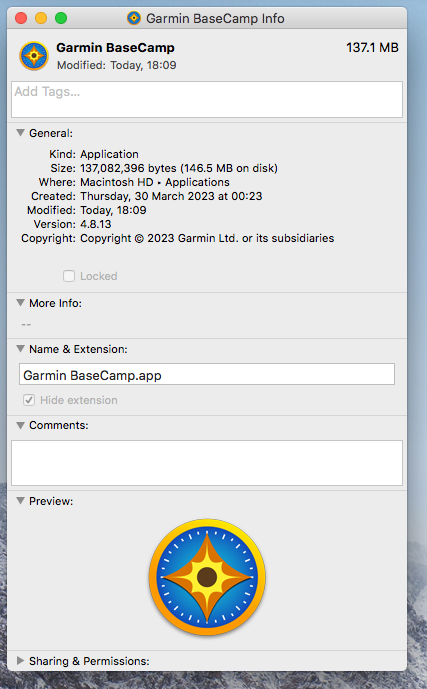
I know next-to-nothing about Apple but am contemplating the purchase of a Macbook Neo for trip use. My, obvious, concern is that the Neo will not run Basecamp at some point.
I do have a 2011 iMac27 and looking at the information about Basecamp does not reveal any processor information. Might that be because of the age of my iMac?
TIA
Richard
- Screen Shot 2026-05-24 at 18.13.01.png (152.77 KiB) Viewed 86 times
Re: Rosetta and Intel-based apps
Posted: Sun May 24, 2026 7:26 pm
by Mzokk
You'd be better off with a cheap windows laptop. Used or otherwise.
Re: Rosetta and Intel-based apps
Posted: Mon May 25, 2026 11:45 am
by OldRS
Mzokk wrote: Sun May 24, 2026 7:26 pm
You'd be better off with a cheap windows laptop. Used or otherwise.
Cheap laptops appear to be worth what one pays for them - and I've had a few, but not recently.
I'm open to suggestions or alternatives to the Neo - if you have any in mind. I like it's long battery life, the metal case and compact size. I'm not, as might not be apparent, a die-hard Mac fan.
Re: Rosetta and Intel-based apps
Posted: Mon May 25, 2026 2:46 pm
by danham
Rosetta will be phased out beginning with Mac OS 28. I assume your Neo came with OS 26, so you will be able to keep using Basecamp until/unless you update to 28 and maybe even then for some period of time. My Intel iMac won't run any OS newer than 13, so I will stick with that until the computer stops functioning, so I can keep using BC. If I were you I'd stick with 26 (or 27) on your Neo and get some years of use out of it.
-dan
Re: Rosetta and Intel-based apps
Posted: Mon May 25, 2026 4:25 pm
by Mzokk
OldRS wrote: Mon May 25, 2026 11:45 am
Mzokk wrote: Sun May 24, 2026 7:26 pm
You'd be better off with a cheap windows laptop. Used or otherwise.
Cheap laptops appear to be worth what one pays for them - and I've had a few, but not recently.
I'm open to suggestions or alternatives to the Neo - if you have any in mind. I like it's long battery life, the metal case and compact size. I'm not, as might not be apparent, a die-hard Mac fan.
I don't use a laptop to run basecamp on trips anymore. I was suggesting a Windows device as Garmin seems to have always preferentially supported Windows. I started using garmin devices with a Streetpilot 2610 and "Garmin Mapsource" as routing software they never did produce an apple version of this.
I use MyRoute app route planner. This is web based so I can use my phone, tablet a laptop or PC to access it and it is irrelevant whether I'm running IOS, Android, Chrome os, Windows, Mac os or linux. I tend just to use my phone and a big paper map to re-gig routes on a tour using MyRoute app route planner (though I did bring an Ipad initially before realising I didn't really need it). It's much easier to use than the painful process of changing a route on the Zumo device. When I'm on my Africa twin I can send GPX files to the Zumo via the garmin "Drive" app. For my old and beloved Zumo 340 and 390 that I use on my old and equally beloved R1150GS I just run a Garmin cable from my phone to the unit (Via a USB A to C adaptor) and plonk the gpx files in the folder on the SD card and import them as normal.
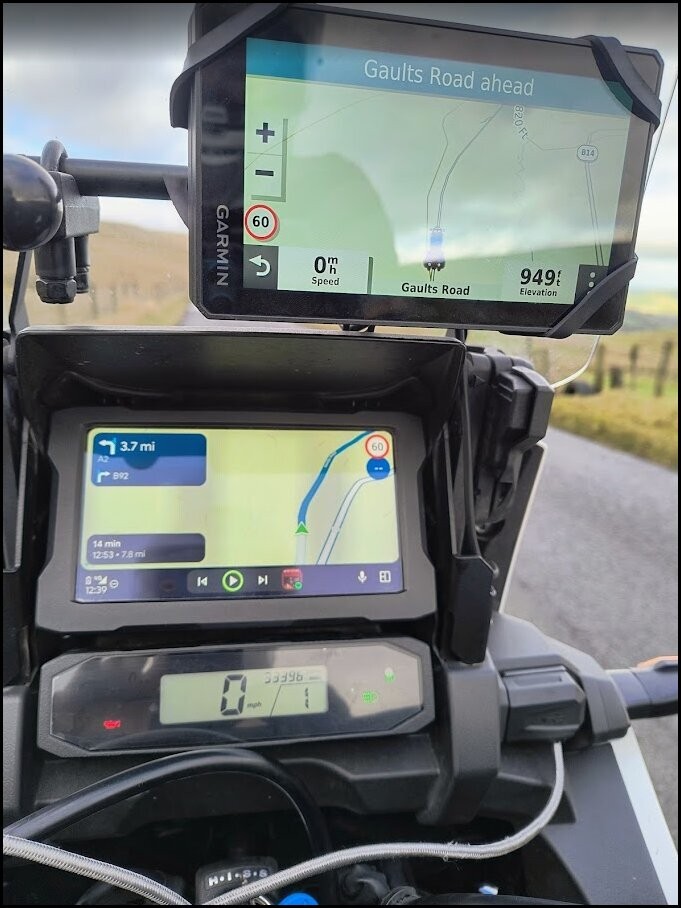
I use MyRoute app route planner. It is not good for manipulating tracks and can not handle proximity alerted POI's. Therefore, I still use Basecamp/POI loader for this but would have no need to do this "on the fly" To be honest I only use my Zumo XT for this now and to display tracks, and navigate using MyRoute app navigator app via my phone and Android Auto screen on my Africa Twin. Time has moved on and Garmin software hasn't.
This is my set up......I probably wouldn't bother with the XT but I own it and have a use for proximity alerted POI's.
- 1764700108217.jpg (112.78 KiB) Viewed 10 times